erp.li: the Odoo mobile app for your whole team
Open any Odoo database from your Android phone or tablet. Switch between several Odoo accounts in one tap, get push notifications for activities and messages, and download reports and invoices straight to your device.
Community and Enterprise • Self-hosted or cloud • Arabic and English
Odoo 14 to 18
Supported versionsAny server
Self-hosted, SaaS or Odoo.comMulti-account
Switch without logging out2FA
Two-factor authenticationWhy use erp.li instead of Odoo in the phone browser?
The browser gives you Odoo. The app gives you Odoo the way a phone is meant to be used.
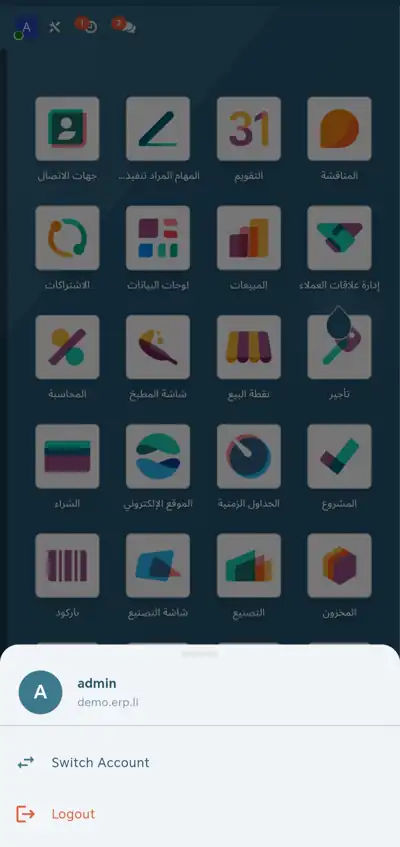
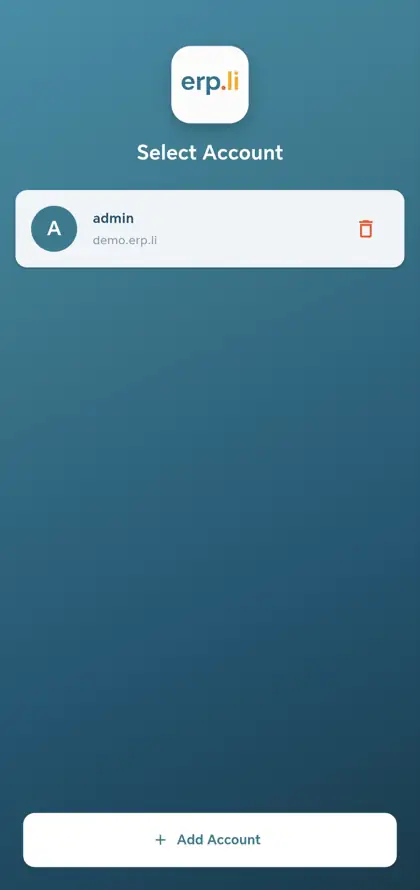
Every account, no logging out
Keep your company, client and personal databases side by side and jump between them in one tap, instead of logging out and in again.
Alerts that reach you
Activities, tasks, messages and emails arrive as real phone notifications, so nothing waits for you to open a tab.
Files that open properly
Invoices and reports go straight to your Downloads folder, open in the right viewer and share to WhatsApp or email in one tap.
Full screen for your work
No address bar and no browser tabs. Odoo fills the whole screen and opens where you left off.
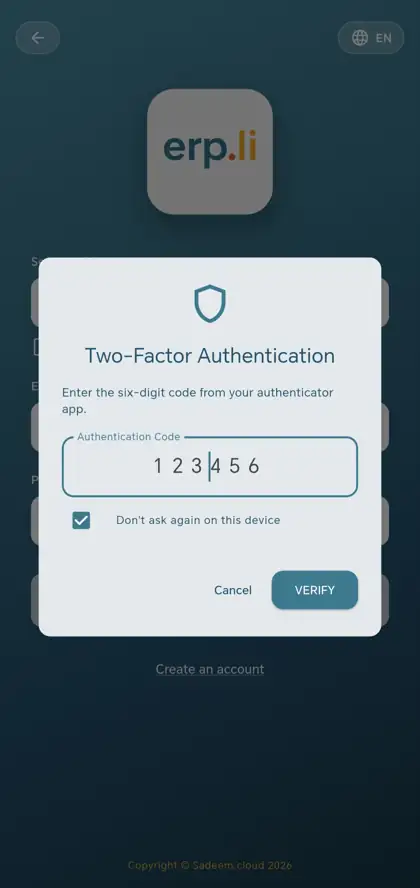
Two-factor authentication
Sign in with the six-digit code from your authenticator app, and skip the code on devices you trust. Credentials are stored encrypted on the device.
One app for any Odoo
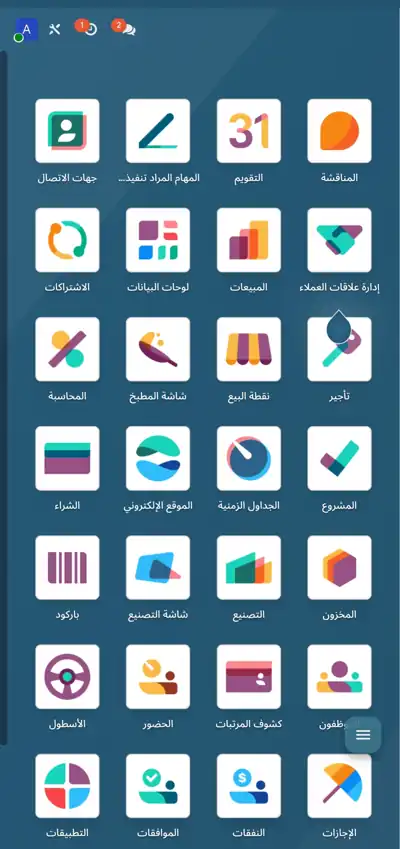
The same app works with your own server, any Odoo hosting provider or Odoo.com, on Community or Enterprise.
See it in action
Your Odoo, on the phone in your pocket.
Everything you need to run Odoo on the go
erp.li gives you the full Odoo web interface in a native app, with the mobile features the browser cannot offer.
Works with any Odoo
Connect to Community or Enterprise on your own server, on any Odoo hosting provider or on Odoo.com. Custom domains and custom database names are supported.
Several accounts, one app
Save your company, client and personal Odoo accounts and move between them without logging in and out. The app remembers your last session.
Smart push notifications
Real-time alerts for activities, tasks, messages and emails, through a self-hosted ntfy server or Firebase. The app detects what your server supports and configures itself.
Files and reports
Download invoices, reports and documents to your Downloads folder, open PDF, Excel and image files directly, and share them with any other app.
Secure and private
Credentials are stored encrypted, connections use HTTPS and sessions are managed securely. The app collects no data and shares nothing with third parties.
Arabic and English
A full bilingual interface with right-to-left Arabic, optimized for both phones and tablets.
Built for the people who use Odoo every day
- ✓ Business owners following their company on the go
- ✓ Sales teams working on CRM and quotations
- ✓ Warehouse staff checking stock and shipments
- ✓ Accountants reviewing invoices and payments
- ✓ Project managers tracking tasks and timelines
- ✓ IT administrators managing several Odoo instances
Technical details
- ✓ Android 8.0 or later, Android 10 or later recommended
- ✓ About 50 MB
- ✓ Permissions: internet, notifications and storage for downloads
- ✓ No ads, no trackers and no analytics
Frequently asked questions
Why use erp.li instead of Odoo in the phone browser?
The app keeps several Odoo accounts signed in side by side, delivers real phone notifications, saves reports straight to your Downloads folder and runs full screen without browser bars. You still use the same Odoo, just in a form made for the phone.
Does erp.li work with my Odoo?
Yes, if you run Odoo 14, 15, 16, 17 or 18. It works with Community and Enterprise, on a self-hosted server, with any Odoo hosting provider or on Odoo.com.
Does erp.li support two-factor authentication?
Yes. If two-factor authentication is enabled on your Odoo account, the app asks for the six-digit code from your authenticator app, with an option not to ask again on that device.
Can I use more than one Odoo account?
Yes. You can save several accounts and switch between them in one tap, which is useful if you manage more than one company or work on client databases.
Do push notifications need any setup?
The app works without notifications. For real-time alerts, your Odoo administrator enables a notification service on the server, and the app then configures itself automatically.
Is my data safe?
Your credentials are stored encrypted on the device and every connection uses HTTPS. The app does not collect data and does not share anything with third parties.
Is erp.li the official Odoo app?
No. erp.li is an independent app developed by Sadeem Cloud. It is not affiliated with or endorsed by Odoo S.A.
Take your Odoo with you
Free download • Any Odoo server • Arabic and English
Get it on Google PlaySee the POS apperp.li is an independent application and is not affiliated with or endorsed by Odoo S.A. Odoo is a trademark of Odoo S.A.